Change a photo's background with AI: one sentence, no masking
Upload a photo and type where it should be: “Change the background to a wooden market stall.” Promly's Edit Kit puts your subject in the new scene and leaves it as it was. The same sentence trick removes things too, like a bin on a beach or power lines across the sky.
No credit card · 15 Pixels free on sign-up · an edit is 2 Pixels on the default model
In short
What is Promly's AI background changer?
Promly's AI background changer is the Edit Kit used for one job: putting the subject of a photo somewhere else. You upload one photo and type one sentence about the new background, and the model returns the same subject in the new scene. There is no masking, no layers and no prompt to learn. An edit costs 2 Pixels on the default model, GPT Image 2.5, and every new account gets 15 Pixels free.
| You upload | One photo: a product, a portrait, a room, a place |
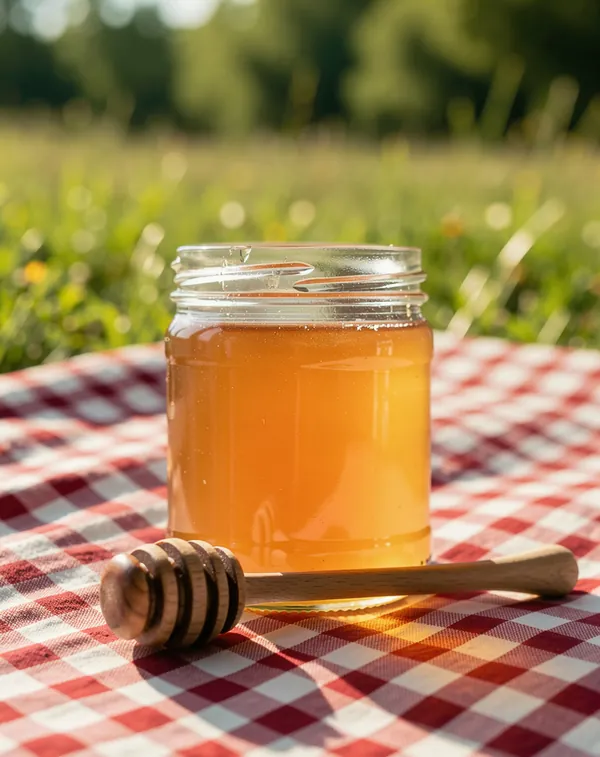
| You type | One sentence, e.g. “Change the background to a checked picnic blanket in a sunny summer meadow.” |
| It can | Swap the background · move the subject into a new scene · set a plain colour · remove an object |
| Output size | Same as the photo, or square 1:1, portrait 4:5, story 9:16 |
| Cost | 2 Pixels an edit on GPT Image 2.5 (the default); 1–5 on the other models that take a photo |
| Free to start | 15 Pixels on sign-up, no credit card: about seven edits |
| Not included | A transparent PNG cut-out: the new background is always a scene or a colour |
| Rights | Yours, for personal or commercial use (Promly's Terms) |
Prices checked 27 October 2026. The model redraws the whole picture, so check small details, such as printed text on a label, before you use the result.
Real edits
One jar, four backgrounds
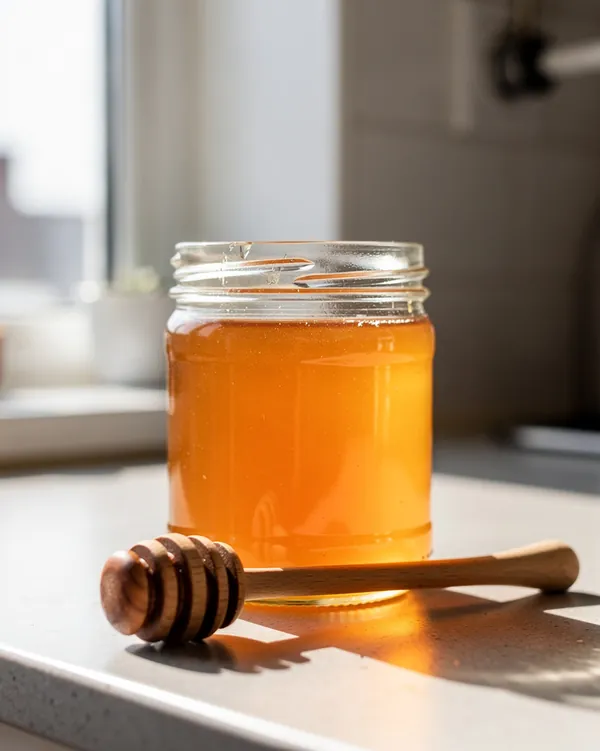
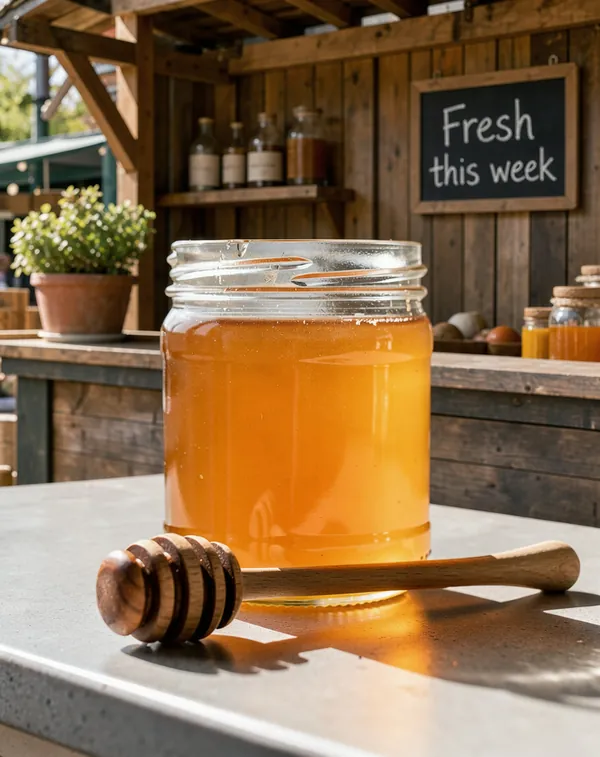
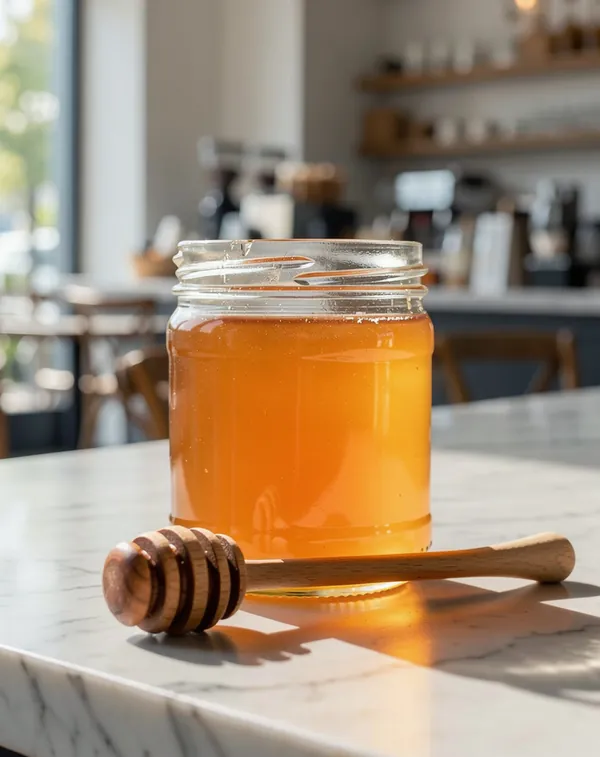
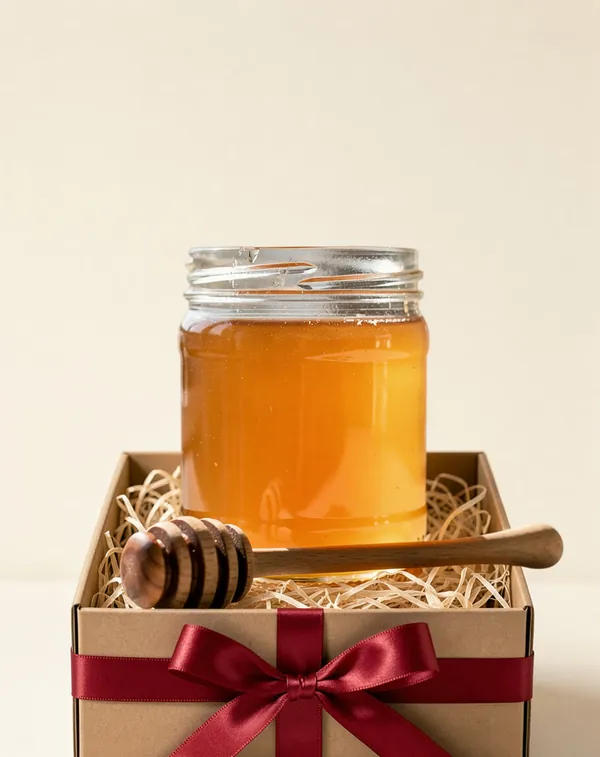
Each picture is the Edit Kit run once on the same photo, the jar on a kitchen counter at the top of this page, with the sentence below typed in and nothing else. Flux 3, 3 Pixels each, made 24 October 2026. The “before” is a Promly image standing in for your own product photo.
More product shots on the AI Product Photo Generator page.
A portrait
Same face, a new street
One sentence on the default model, nothing else typed. GPT Image 2.5, 2 Pixels, made 27 October 2026. The selfie is a Promly image standing in for yours, not a real person.


Remove an object
Take out what spoils the picture
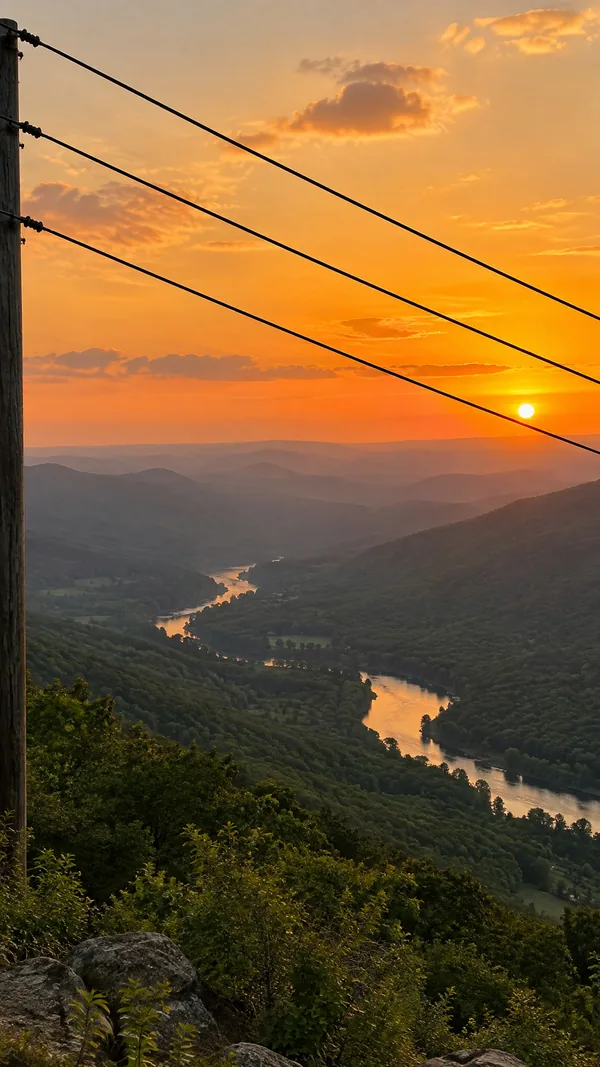
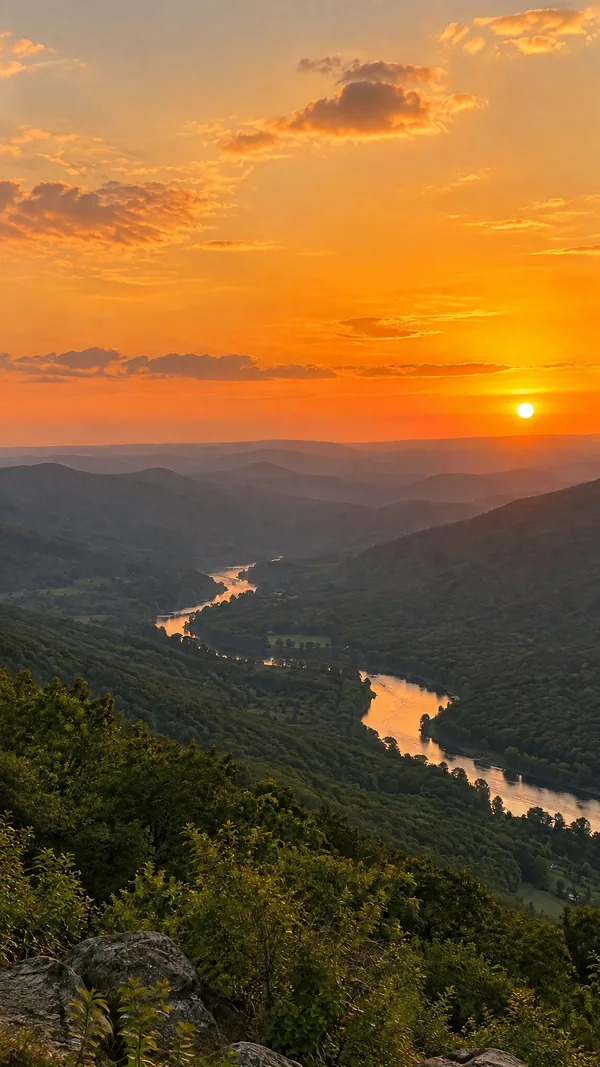
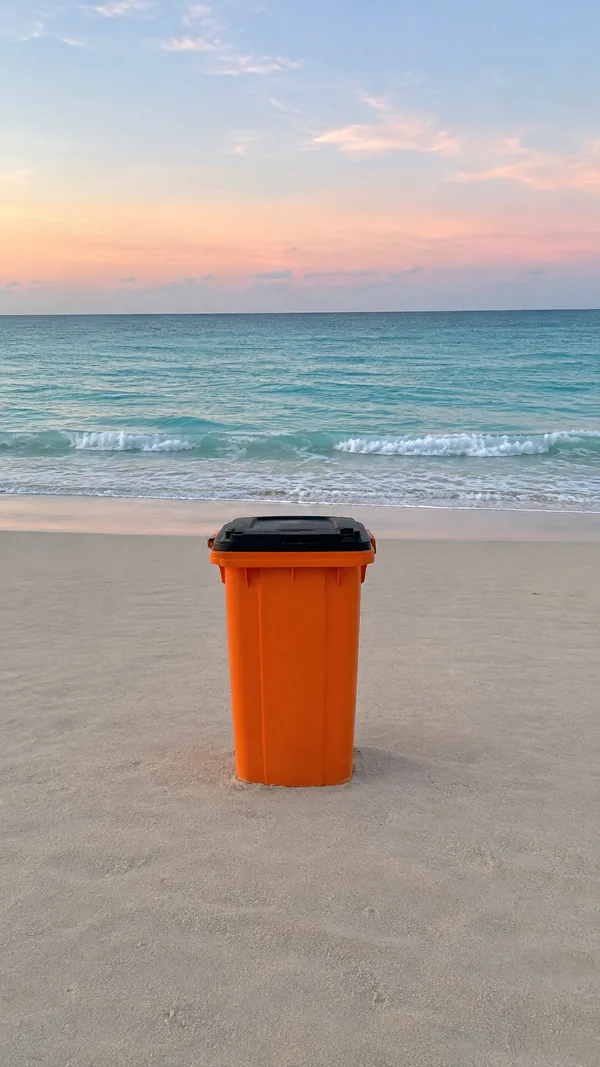
The same Kit takes things out. Type “Remove the …” and the rest of the scene stays. GPT Image 2, 2 Pixels each, made 17 September 2026. The “before” pictures are Promly stand-ins, with no people in them.
How it works
Three steps, no editing skills
Upload your photo
One clear photo is enough: a product on a counter, a portrait, a room. Already made a picture in Promly? Its Edit button sends it straight here.
Type the new background
Name the place, the light and the surface: “a wooden market stall in morning sun”. For a marketplace listing, ask for a plain colour instead.
Download, or try another
Keep the photo's frame or choose 1:1, 4:5 or 9:16. Each new sentence is a new edit, so one photo can become a whole set.
Sentences that work
How to ask for a new background
- Start with “Change the background to …” and name a real place: a café counter, a picnic blanket, a market stall.
- Add the light. “Soft morning light”, “sunny”, “at dusk”: light is what makes the subject look like it belongs there.
- Write any words exactly. If the scene should hold text, put the exact words in the sentence, as in “a small chalkboard sign that says Fresh this week”.
- One change per sentence. To remove something as well, run a second edit on the result.
- If the subject drifts, run it again. Each run is a new edit and costs its Pixels; another model may hold the detail better.
FAQ
Frequently asked questions
How do I change the background of a photo with AI?
Upload the photo to Promly's Edit Kit, type one sentence such as “Change the background to a bright café with a white marble counter”, and tap Edit. The result keeps your subject and puts it in the new scene. No masking or selection is needed.
Is it free?
Free to start. Every new account gets 15 Pixels with no credit card, and an edit is 2 Pixels on the default model, so that is about seven edits. After that, Pixel packs start at 50 Pixels for $12 (valid 12 months), or plans at $7 a month for 30 Pixels.
Can I make the background white or transparent?
White or any plain colour, yes: say it in the sentence, as in “on a plain cream background”. A transparent background, no: Promly does not export a transparent PNG cut-out, so the result is always a full picture.
Will my product or face stay the same?
The Edit Kit is told to keep everything except what you asked to change, and in the examples on this page the jar and the face look the same in every scene. The model does redraw the whole picture, so check fine details such as small print before you use it, and run the edit again if something drifted.
Can I remove an object from a photo?
Yes. Type “Remove the …” and name it, for example “Remove the trash bin.” or “Remove the power lines and the pole.” Both examples on this page were one sentence each, and the rest of the scene stayed.
Which AI model does it use?
GPT Image 2.5 by default, at 2 Pixels an edit. Before you tap you can pick another model that takes a photo: Flux · Fast is 1 Pixel, Flux 3 is 3 and Nano Banana Pro is 5. The jar examples were made with Flux 3, the selfie with GPT Image 2.5 and the removals with GPT Image 2.
Can I change the background of a photo of a person?
Yes, the same way: upload the photo and type the new background. The selfie on this page took one sentence on the default model. Upload only photos you have the right to use; photos of other people need their consent.
Can I use the pictures commercially?
Yes. Under Promly's Terms the images you make are yours to use for any purpose, personal or commercial. The image models' own licence terms also apply.
Give your photo a new background
15 Pixels at sign-up, no credit card: about seven edits on the default model. One sentence each, no masking.
Start free · 15 PixelsExplore more
Other ways to create with Promly
All Promly tools and prices · AI Photo Editor · AI Product Photo Generator · How to edit a photo with AI · How to make AI product photos · AI Image to Video