Guide · Models
Which AI Image Model Should You Use? A Plain-English Guide
GPT Image 2, FLUX, Nano Banana, Recraft — the model names sound like homework. Here's the honest version: for most pictures you don't have to choose at all, and when it matters, the fastest way to decide is to run the same idea through every model and look. This guide covers both.
The short answer: you don't have to pick a model. In Promly you describe what you want in plain English, and you can generate with the default model or send the same prompt to several models at once and keep the one you like best. No prompt skills, no model expertise.
What actually changes between models
Every model can make a good image. What differs is the flavour — and a few practical things worth knowing:
- Realism vs. illustration. Some models lean photographic and cinematic; others have a cleaner, more illustrated or graphic feel.
- Text inside the image. Models vary a lot at rendering readable words on a poster, label or sign. If your image needs text, this matters most.
- Speed and cost. Lighter models return faster and cost fewer Pixels — handy for quick drafts before you commit to a final.
- Consistency. For a series, a comic or a sticker pack, keeping one look across many images matters more than any single frame.
A quick guide by what you're making
If you'd rather just have a starting point, here's a simple way to think about it:
Realistic photos & scenes
GPT Image 2 or FLUX
Strong, reliable choices for lifelike portraits, products and cinematic scenes with natural light and detail.
Clean graphics & flat styles
Recraft
Great for crisp, graphic, illustrated looks — flat design, simple shapes and a poster-like finish.
Everyday all-rounder
Nano Banana
A flexible general-purpose option that handles a wide range of everyday images and styles.
Fast drafts
A lighter tier
Use a faster, cheaper tier to explore ideas quickly, then re-run your favourite on a higher-quality model.
The same prompt, four models
Here's one prompt — a moody, black-and-white film-noir detective — rendered by four different models in Promly. Same idea, four distinct takes:
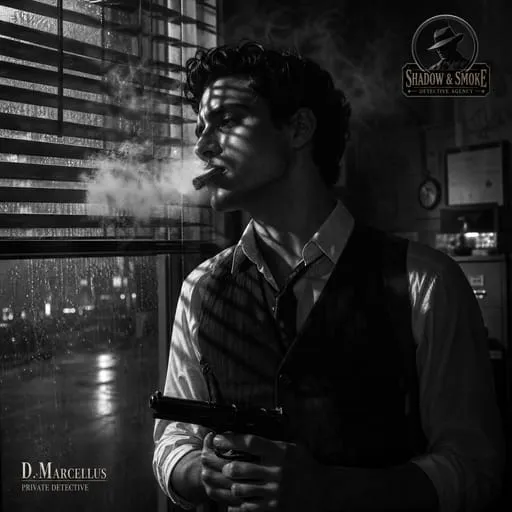
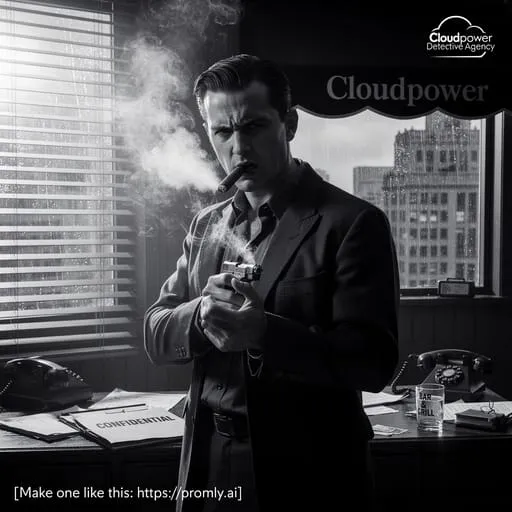
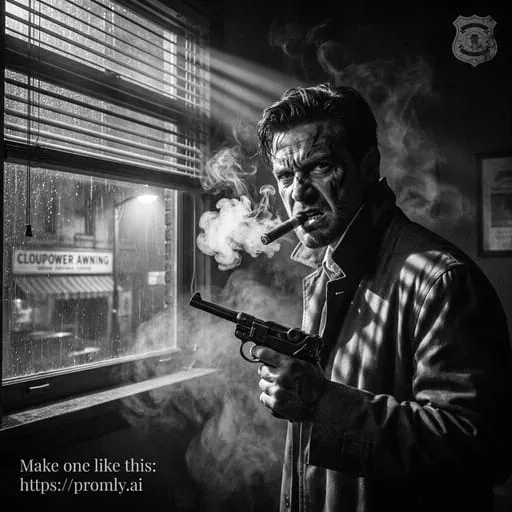
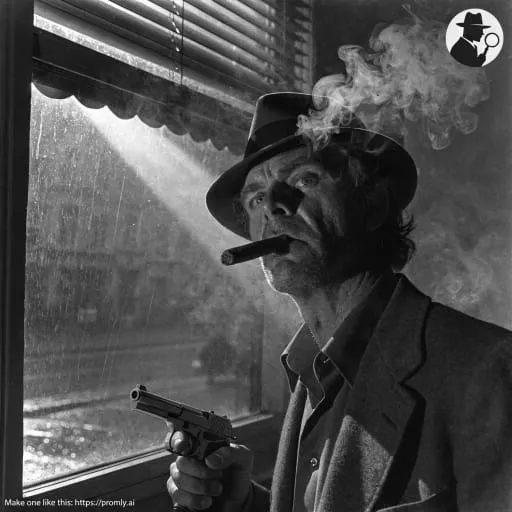
One prompt · four models · noticeably different mood, framing and detail.
The easiest way to decide: compare them
You can read about models all day, but the honest answer for your specific picture is "try it and look." That's exactly what Promly's compare tool does: type one prompt, generate it across every model at once, and pick the result you like. It's the fastest way to find your favourite without learning a thing about any of them.
Good to know: Promly turns your plain-English description into a model-ready prompt behind the scenes — so whichever model you choose, you never write prompt syntax yourself.